


24/7 Support Service
 022 71 71 71
Google Pay
Google Pay is a fast and simple way to pay, in stores and online, using the card issued by Moldindconbank.
Add Moldindconbank Visa and Mastercard cards to Google Wallet to make contactless payments quickly, securely and easily

5 reasons to choose Google Pay

Pay
Simply and securely

Buy
Securely

Pay
Contacless

Commission
Zero

Pay
Quickly
Google Pay is a fast, secure and easy payment tool used in stores, apps and online. You can use Google Pay with your Android devices, as easily and quickly as, using a credit or debit card. The advantage of using this service is that you do not need cash or physical card. Google Pay system works according the same principle as a contactless card, under maximum security.
Make convenient and secure transactions with Google Pay!
Confidential
Your card data are never stored in your Google Pay device.
Secure
With Face ID, Touch ID, it is simple and safe to confirm payments, as there is no need to have a physical card.
Fast
With Google Pay you pay quickly anywhere in the world where contactless payments are accepted.


Open a card online
-
Do not you have a Moldindconbank card yet?
-
Apply for a payment card.
-
Simply, quickly and easily.
FAQ:
- Open the Wallet, find the ‘Add card’ option with a ‘+’.
- Follow the instructions.
In any store in the country or abroad, that accepts contactless payments, in mobile applications that accept Google Pay or in Safari, on websites that accept Google Pay. You can make payments wherever you see Google Pay symbols.
You can add any Visa or Mastercard card from Moldindconbank to your wallet.
Any Android phone or Wear OS compatible device.
You can see the last 10 transactions made in the ‘Google Pay’ application or, even more simply, you can see the card transaction statement in the Mobile Banking application.
Any transaction limit of physical cards is applied in the same way to Google Pay transactions.
The card data are not transmitted to the merchant, but only the secure one-time code (token) associated with the card, so there are no security risks.
Call the Customer Support Service 24/24 at 022 71 71 71 to find out details and receive support in completing the card enrolment process.
- Make sure the terminal accepts contactless payments or has the Google Pay symbol.
- Unlock the screen.
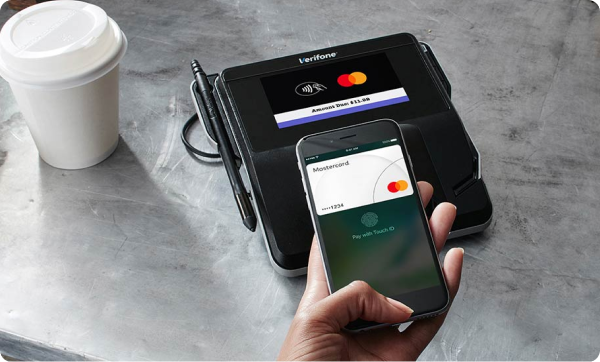
- Bring the phone closer to the terminal and confirm with Face ID or Touch ID.
- The payment is made when the ✓ symbol appears on the phone screen.